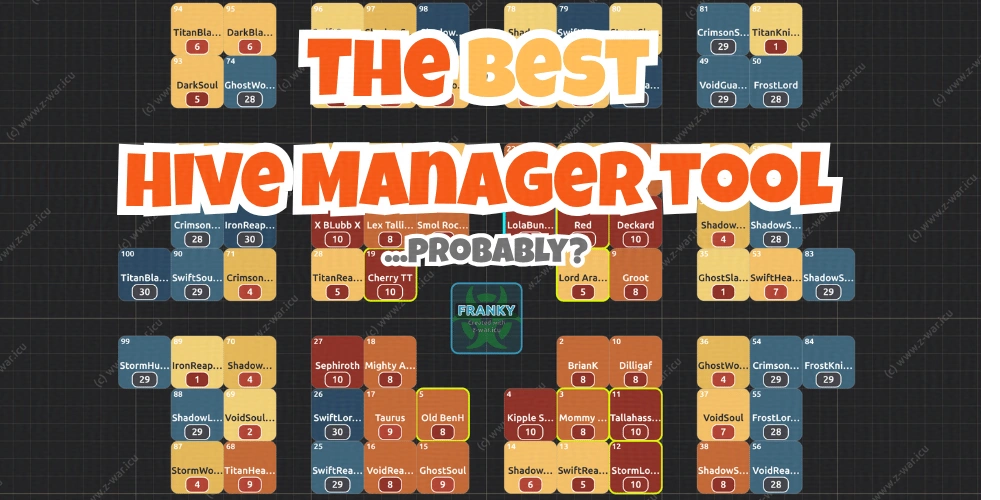
The BEST Hive Manager Tool for Dark War Survival?
- 27 Sep, 2026
The BEST Hive Manager tool for Dark War Survival needs to have several easy-to-use functions to earn that title. It has to work on phones, tablets and pc’s without requiring a subscription. It shouldn’t be asking you for logins, emails and passwords to protect your personal info and game account. AI hacking is rife; if it can hack Government websites, it can hack a fan-made website holding your login info. Be wary, especially be wary if it also asks for your game ID and email; that’s my friend is a recipe for losing your account. How about we use OTP - one time passwords and not hold any emails, passwords or game ID’s? Sure, Z-War tools are built that way. All of them. For Free.
If you have questions, need help or have suggestions for future developments, join our Discord today Z-War Discord
The Best Hive Manager Tool
It needs to have an easy-to-use Player Roster - eg, import and export and a simple editor. Getting the Alliance player list into any tool, even a spreadsheet, can be a grind, right? One way is to use a Google Form linked to a spreadsheet and get your team to add their own information. It’s less work for you but a bit hit and miss. Could you enter the information between the 12 R4S, maybe? Why not do it the easy way: scan some screenshots and import the text file. If only there were a tool for that. There is: the Z-War OCR tool; an open-source, non-data-sharing tool that works in memory (not disk space) and gives you the only copy of the file.
Import your alliance roster the easy way
Import Your Alliance Roster
Once you have the basics, you’ll need a tool that can hold truck CP values too and an easy way to update, edit and share that info. How about a way to save to the cloud and share, so it’s less work? You guessed it, Z-War hive manager tool does that too. A built-in editor for making changes as people grow or for the odd new recruit.
Add Your Alliance Name
Once you have imported the roster, go to Alliance > Roster > (Cog) Edit > Alliance - Enter your Alliance Name. There are also “sort” options to change the order of the roster listing by whichever measure you’d like.
- CP
- Rank R5, 4, 3, 2, 1
- F1 CP power
- WT Watchtower level
- Name
- Undo - important to do before you exit, if you’re just browsing info.
.webp)
Share Your Layout with R4s and Members
After importing the roster and editing, adding and updating truck CPs, towers, etc you need a way to share the info between your R4/R5 team and also your members. This allows active members to get their copy of the hive for reference and to help others. The leadership team can all pitch in and work to keep the info up to date and help members.
Wait, you just need a screenshot to post in alliance chat and your Discord Guild? There’s a built-in image creation tool. See the image below. You get a full-screen PNG file to share wherever.
The Best Hive Layout Plan
So you have all your players and truck CPs in, using a tool that works on your phone, pc and tablet and doesn’t run soooo slowly that you could hand-draw the layout with crayons faster !! You want to know the best hive layout, right?
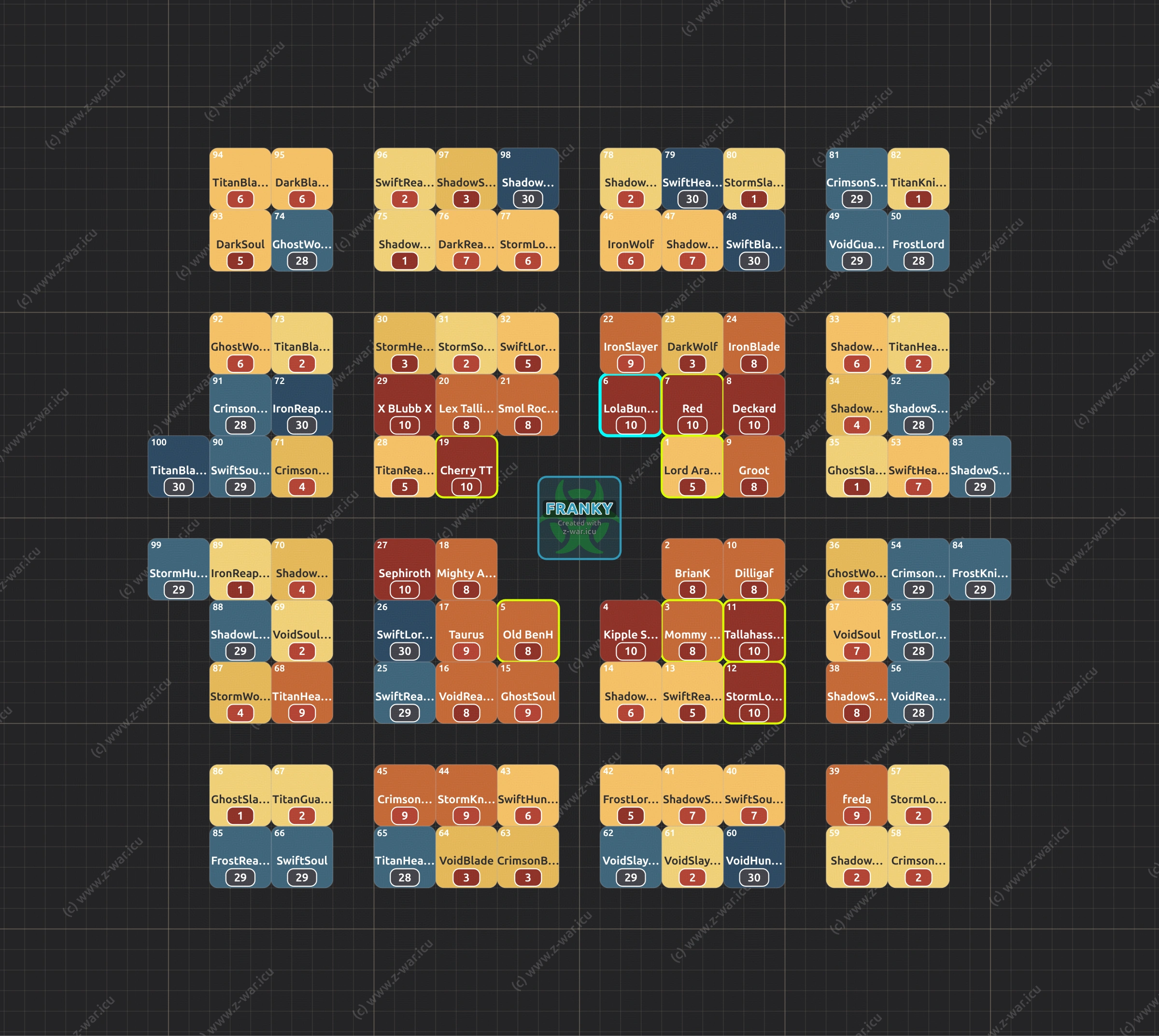
There is no perfect option; everything is a compromise. Here’s the logic part: you need TWO spaces for Boomers to spawn in, ONE for radar, tiles and roamers. Hive layouts don’t really help with your Daily Radar tasks, as the distance they can spawn at can be quite far at best. What about Zombie Dogs? Well, that’s not consistent; it “can” spawn in one space, but two is definitely better. This also applies to getting them closer to your base without porting to get close enough to do “rolling truck attacks”.
Here’s the “emotional part”: managing a hive takes effort, preferably a team effort, not just the R5 or the one R4. If you all help, you can achieve the best layouts without having to just accept a simple version to reduce the workload on the one person doing it all!
We started building Hives around Franky in Season 2 iirc. A system we discovered on higher (140s?) servers and brought into lower ones (103, iirc). I’m sure it spread everywhere quite quickly after the initial discovery. Credit to Red (and possibly XN), former SWR leader on 103, for creating the first Quadrant style.
Also, whilst I am doing credits, the cross-hair template was created first by Lola Bunny #101. A very unique layout. Looks awesome, but probably the most difficult to manage!
How to Build the Hive in-game
The easiest way is to set your Frank in place and note those co-ords. If you enter Frank co-ords into the Z-War Hive planner, this will calculate all the every base locations for your Hive layout. This also helps get the information to players. Previously, you had to wait to get people in place and use in-game markers and build out slowly. This tool generates the co-ords so you can pass them as direct move co-ords. This makes moving simple-r?!
.webp)
So add your Frank coords, which generates the base calculation for your entire hive and also your location on the world map. If you add other alliances, either from a State share code or they will appear on the world map view too.
Open the bookmark tool in-game (the orange star when you zoom out of the world map a little). Enter your co-ords directly - port! This means your team can move independently, hopefully.
We all have team members that have a language barrier (frustrating!) or are not engaged with the team or messaging, which is disappointing for the good leaders who work hard to run an alliance well. C’est la vie, we just have to embrace them all and help them as best we can.
.webp)
Will this show on my Territory Map?
Yes, if you tap the Franky icon, a pop-up lets you enter your real coords in-game. This also transfers your location to your world map. However, please take into consideration that the map art and grid layout are not perfect; it’s close, but accept there’s a little “distortion”.
.webp)
Why Build Around Bio Mutant (Franky)
Why build around Franky? Well, before the “25-tile 3s flight” update, Franky rallies worked like normal rallies for flight time. Having your strongest players arranged closest meant they could hit more often during the event and thus score more damage. Now that doesn’t really matter, as long as they are within 25 tiles of Frank.
Hive layouts are really about speeding up boomers & Zombie Dogs. Also works well for organising stronger players around the hive for Zombie Siege, Enemy Buster, etc. This is especially relevant for season tasks. Land of Origins and Ragnarok have both had Ruin Tasks which include doing 80 roamers or 40 boomers a day. You can get these every day, so saving time matters. A lot.
So the layout is most optimised with TWO space corridors, not ONE. You see a lot of hives with only one space, and those don’t help with boomers & dogs at all. The image at the start of the post is the most optimal two-space layout.
Can You Filter By Tower Level?
Yes, there is a tower level filter so you can see your distribution. The beauty of this is you can get quick snapshots of the power distribution across the hive. Now you can group the strongest around the middle. There is also the mindset that the weaker players should go in the centre area. Distributing stronger players evenly around the “middle ground” offers closer rein. It also forces invaders to march further, allowing defenders to port or march on the invader base and attack whilst they’re stuck waiting for their march to return.
Can You Add buildings?
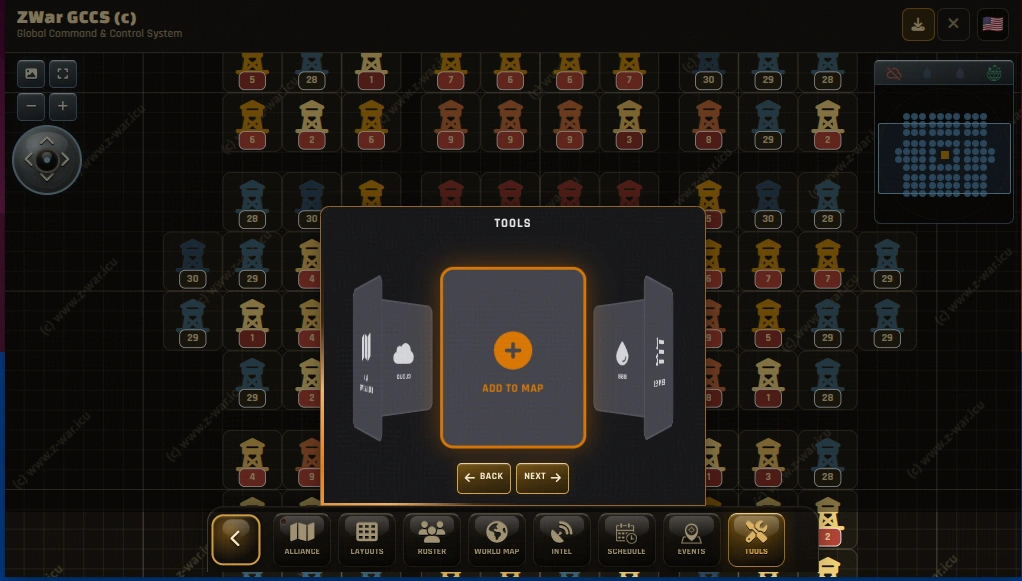
Yes, you can! There is a “hammer” on the d-pad controller area (top left in the hive manager tool). This allows you to select a building from 1x1 to 7x7 and label it whatever you like, so this isn’t season or event-specific. This could be an alliance centre, city building, fortress, in fact, anything to help make bases a longer march for your enemies.
The pain of managing a hive layout is reduced in proportion to how many members can actually use a bookmark!
Bookmarking
Bookmarking your base and even your good friends’ bases is always a good idea. Being able to jump back to your own place in-line after an event. Using a bookmark always speeds up a “quick exit” too. Zoom out, tap the star, tap your home link - port. Much faster and 100% accurate, compared to zooming, frantically scrolling, finding somewhere close enough and porting.
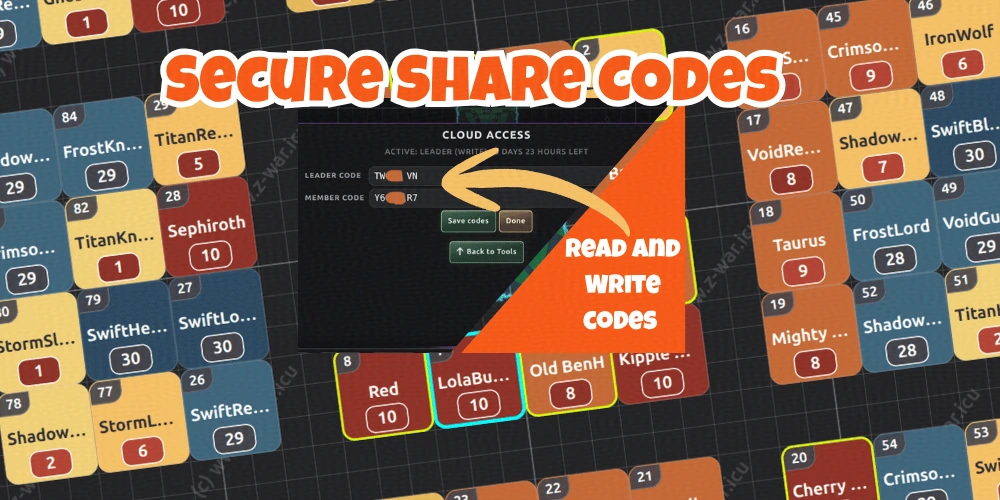
Using Alliance Codes
The Z-War tool uses codes to enable sharing with your Alliance leaders (R5/4 team) and also your members. This is done using on-device encryption and fully end-to-end encrypted upload. There are two types of share codes: Alliance Share (layouts, BGB, etc.) and State Share; this is for territory mapping & hive locations.
- Alliance Share - Tools > Account or Cloud
- State Share - World >Cloud > Codes
The purpose of these share codes is to create an easy method to share the info and communicate with your leadership team, so all can help keep things on track. It enables your alliance members to have their own view of the hive, state events, etc.
Once you have organised your Roster and Hive, you are ready to share this with your team.
Go to;
Tools > Cloud > Save
- you’ll be notified when successful. You will now have share codes in the;
Tools > Cloud > Code menu.
.webp)
After the codes are generated on your device, you can find them under Tools > Cloud > Code. The codes are only held on your device or whoever you share them with. If you forget or lose the code, just save to the cloud again for a new code. Yes, you can use the code on the image to look at test info (this is very basic)
Sharing Codes
Now, as you are an R4 or R5, you have an email facility in the game - or you can use Discord or both. Whatever works. Share the lead code in R5 chat; share the member code via email. Now your entire team has access
.webp)
Once any code is entered, it is validated, and the save linked to it is located and downloaded. This usually takes a few seconds depending on your network. The download is less than 100 KB, so don’t worry about using your data plan. The hive layout and your team are all displayed. Event Planners are included too, eg BGB, Armoury and soon-to-follow Cap Clash, Bio Mutant etc.
The Best Hive Layout is?
Dark War Survival alliance success is about deciding and implementing a style. Adapting to season nuances and your opponents. Let’s quickly define “what’s best“, logic only: the ”best” layout; it’s one of the two space corridor styles to maximise spawning opportunities and reduce rally times. If more Boomer spawns occur inside the hive area, its less for enemies to hit in KE. The longer the march, the longer the enemy is pinned down, potentially for you to attack.
Successful Hive management is about teaching your alliance members to bookmark their spot and respecting that. It’s about deciding what your Hive defence strategy is, eg strongest in the middle or about halfway between middle and edge for the counterstrike opportunity. Do you have a lot of “mobile” strong players who need to be on the edge so they don’t disrupt the hive or leave holes whilst they’re out hunting? Decide how you and your alliance need to operate, communicate that and set up your player locations accordingly.
Why Z-War Alliance Manager?
Z-War Alliance Manager tool is easy to use, allows easy sharing and works across all devices. We don’t just say that; it’s tested extensively, even on older devices, not just flagship beasts. It has a growing number of event planners and Discord apps to help organise your alliance and keep them informed.
BGB Planner
Armoury Planner - BETA released
Alliance Duel Reminder (AD Web View & Discord)
Survivor Prep (Web View & Discord)
Coming Soon
Capital Clash
State of Supremacy
The developer takes the security of your information seriously too. End-to-end encryption and OTP (one-time passwords) throughout mitigate the chances of “unwanted access”. Moreover, Z-War is a package of tools to plan and schedule events and using unique web pages, Discord bots and clever integrations makes the whole experience seamless and much less time-consuming. Obviously, it’s free too.
Happy Zombie Hunting, Z
Article originally appeared on Z-War.