.png)
Discord Events Bot for DWS
- 28 Jul, 2026
Dark War Survival Events Planner
The Calendar Discord bot helps any alliance manage and communicate upcoming events and their times to their team members. A simple, lightweight bot with a web interface to plan the event timings and share those timings quickly without having to redo the Discord events settings every time.
All the Z-War bots utilise minimal access rights to your Guild channel and use OTP codes to limit the risks of “unwanted access”.
Setup
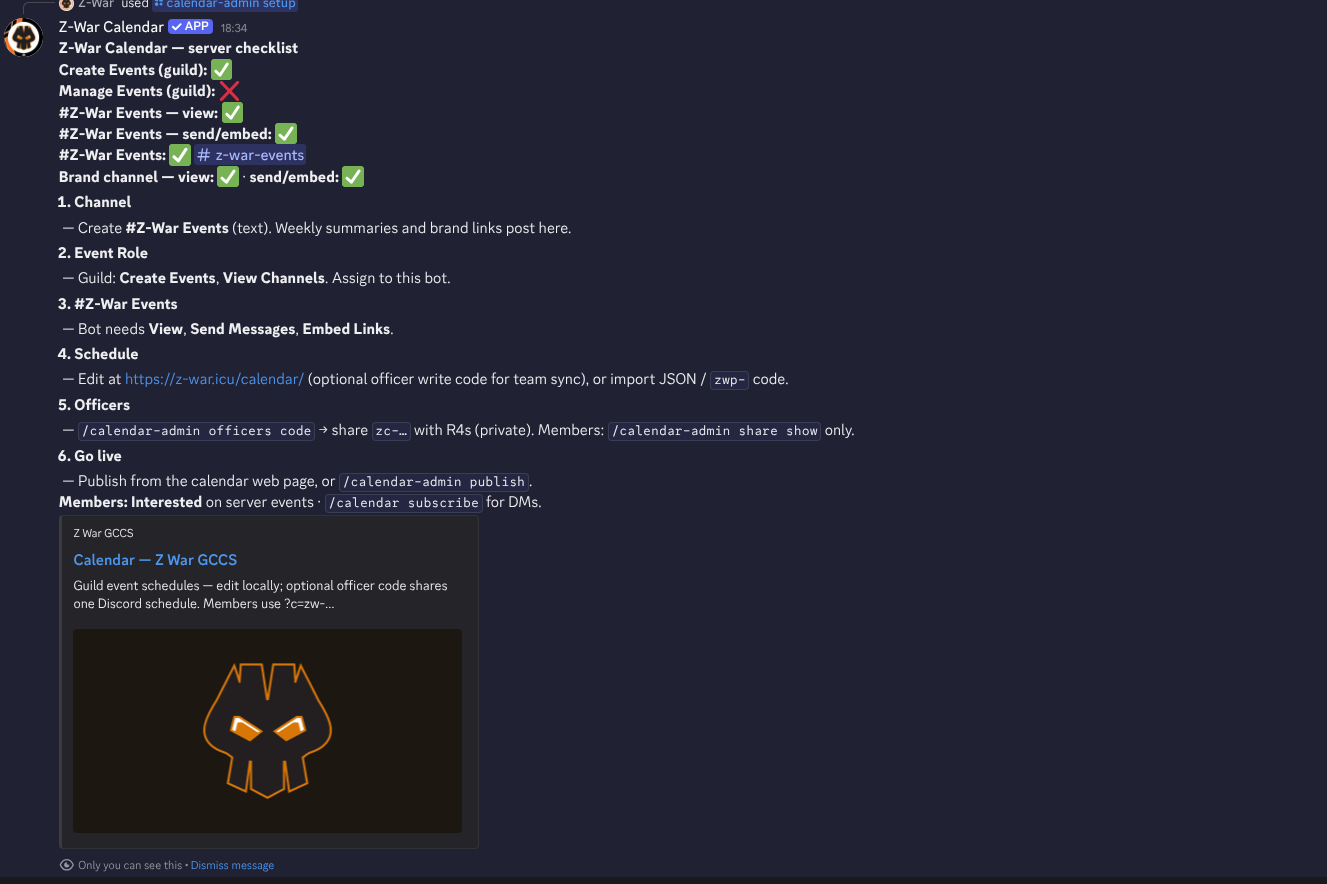
Installing the bot on your Discord is simple: go to the Discord apps store, search “Dark War Survival”, and you’ll see our bots there; choose the Events bot. Once that’s in the guild server. Create the channel#z-war-events for the posts to show in, and use /calendar-admin setup This will allow you to select the channel you just created. A full list of commands is shown at the bottom of this page.
Sharing and Publishing Your Events
There are a few things to consider now; the bot allows you to create an officer share code so that all R4s and your R5 can access the same calendar admin. You can just nominate one person to do this; that’s your decision to make as a team. This system creates your unique webpage link, which can be shared in-game to any non-Discord users. I know many don’t use it, and some countries even ban it. Having a web page helps. Additionally, there is an ICS file (calendar format import), so you can add that week to your Google or device calendar.
- R4/R5 Share Admin Code
- Web Page for all users
- .ics Import for local devices.
- DIscord reminders
Web Admin Page
This is the web admin page, minus the leadership share activation, which I will cover here shortly. You can set up the event times and turn events on and off, e.g., Black Gold is every 2 weeks, State of Supremacy once a month etc.
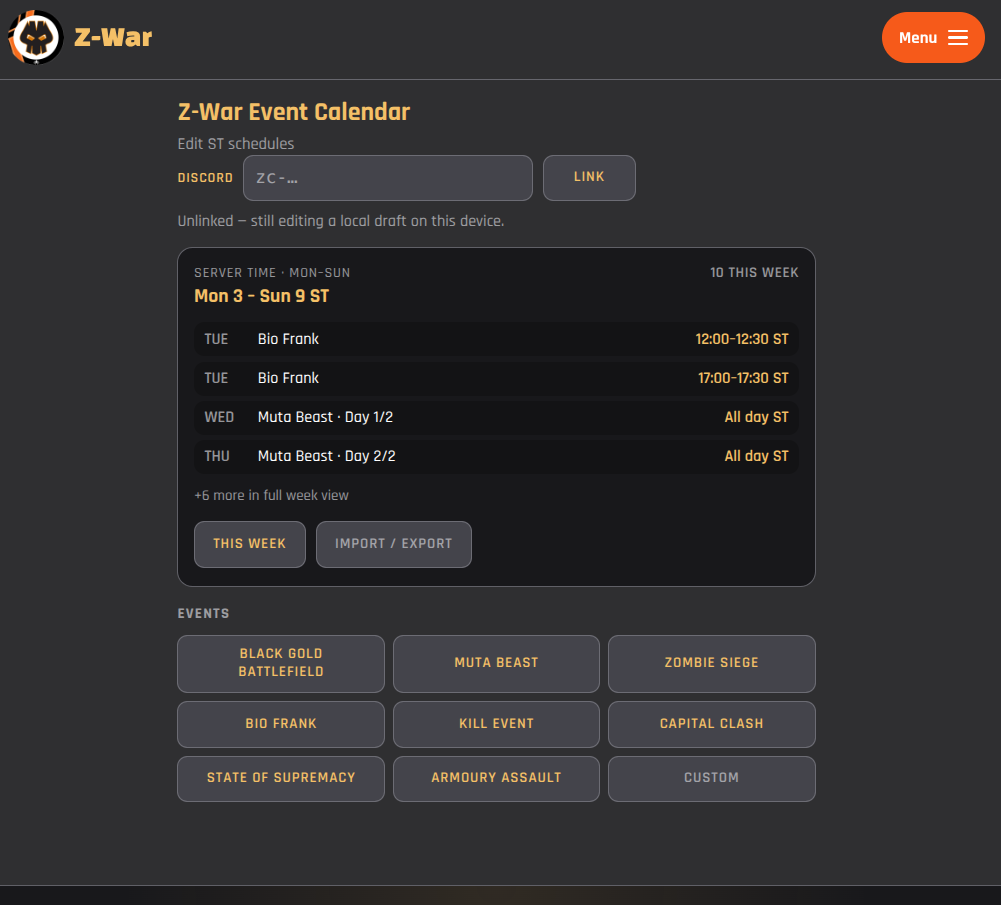
Once you have set your times and added all your events, you have two options – export the file and then import it from the Discord command /calendar-admin import ,though it’s simpler to use the OTP code and link it directly.
Member Share Code
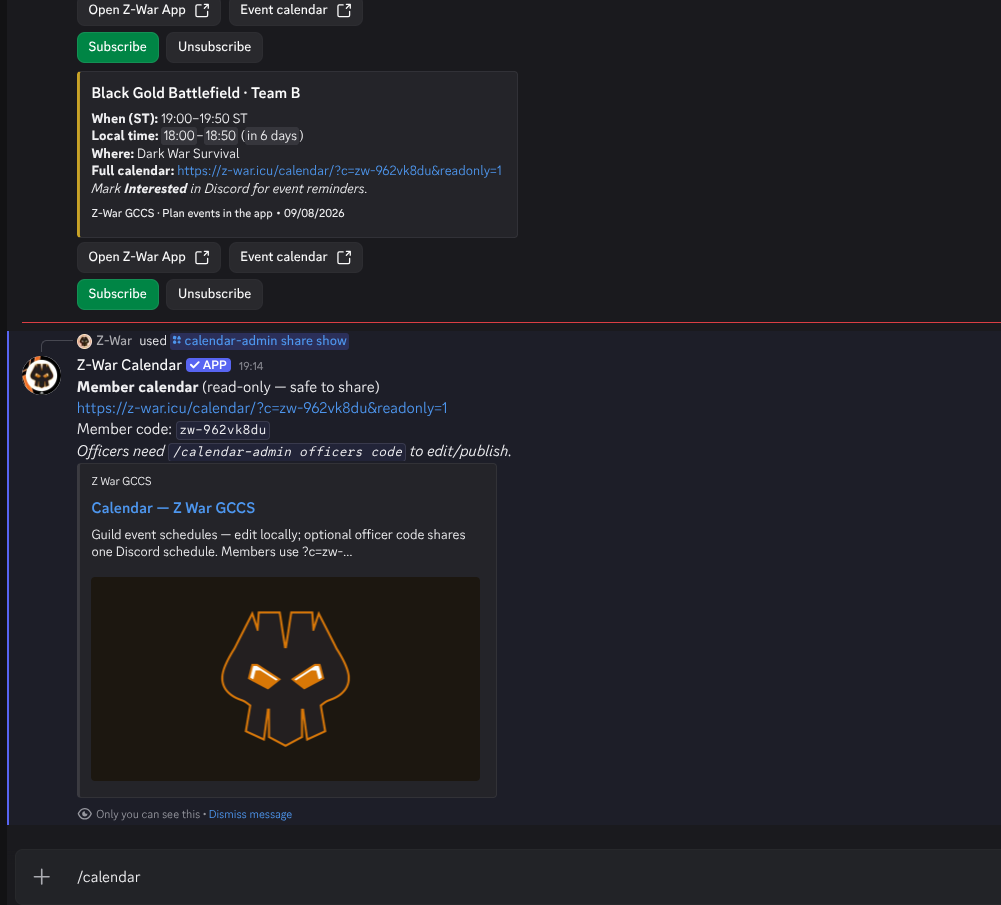
Go back to Discord, go to the #z-war-events channel, and use the /calendar-admin share show command this will show you the url and code- this is your event calendar unique read code. In this case zc-ictt9p3zortj, paste this into the code box on the calendar page – but also, each event carries the link for your calendar. Let’s look at leadership access next.
Leadership Access
This feature allows you to share a code between your admin/leadership team so you can all edit and share the same thing.
In the #z-war-events channel type /calendar-admin officers code - a new post will appear with a zc- prefix, copy this code into the link on the web admin page – obviously only share this with your admins and leaders in the R4 chat!
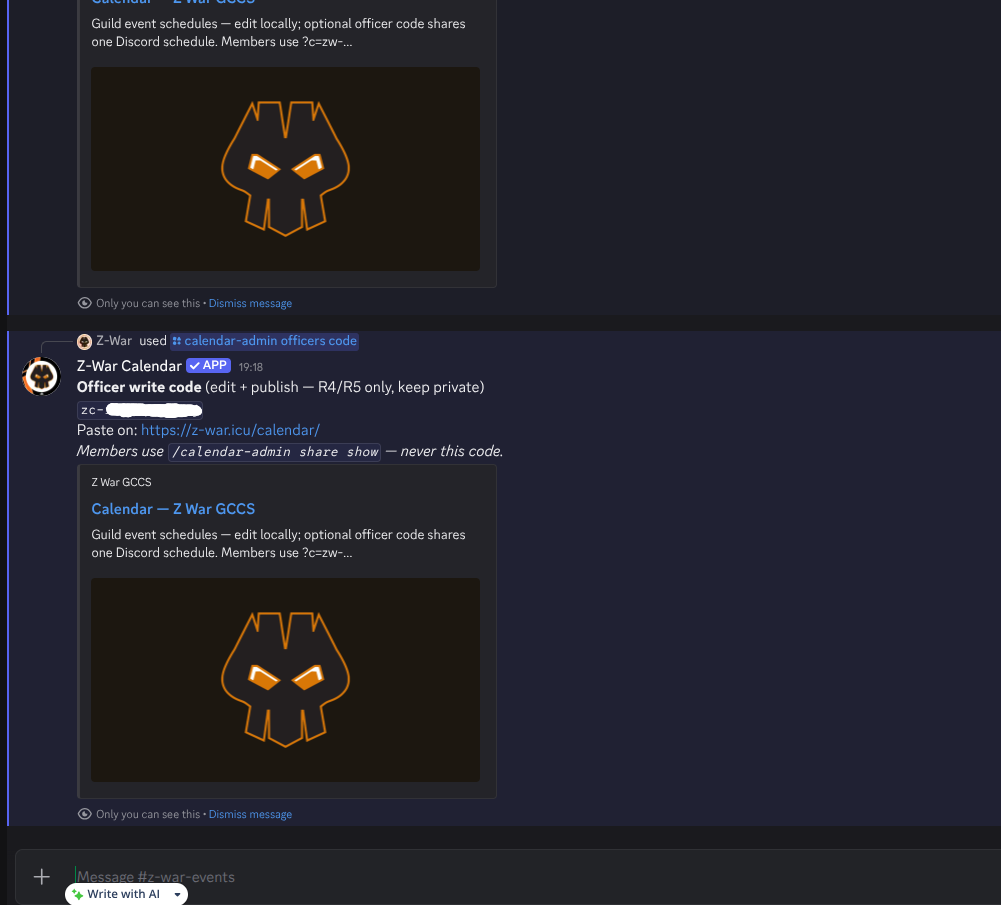
Now you have your code; all the R4s and R5 can paste it into their web browser at Calendar Admin and this unlocks the tools for the leaders.
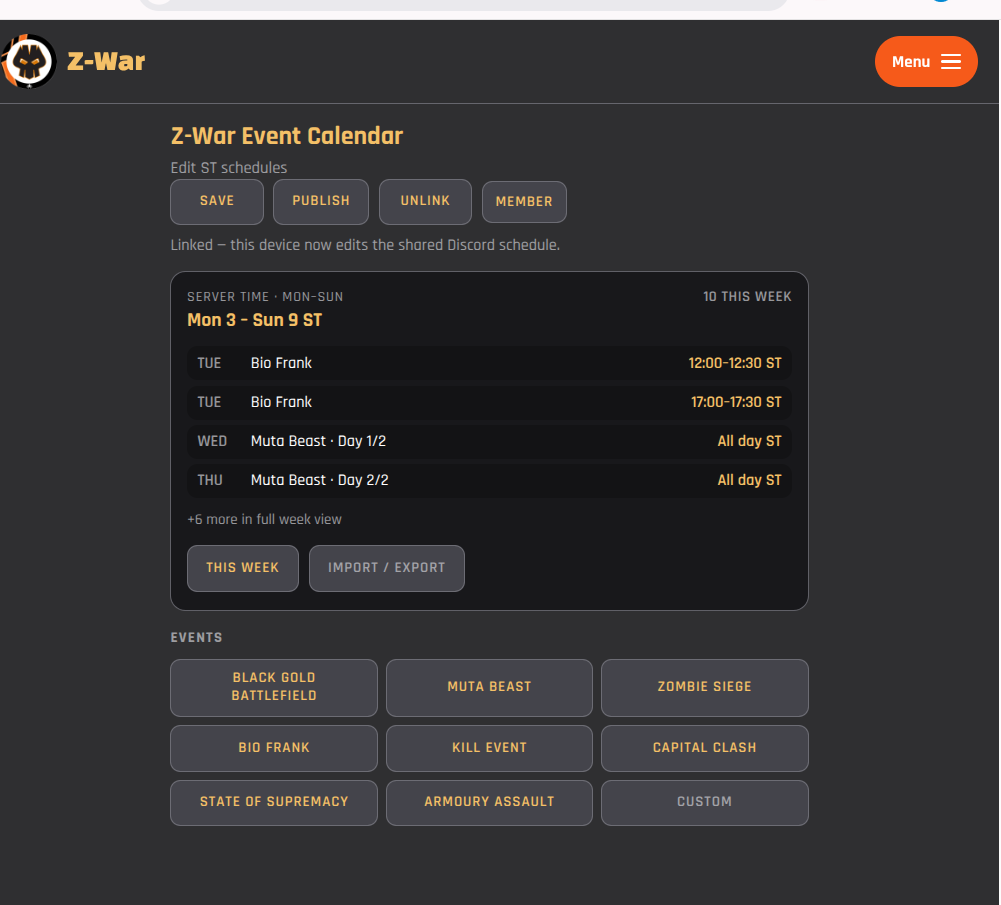
This linked snapshot will persist, though it’s probably a good idea to “rotate” the code periodically.
Summary
Once installed and linked, revising your event schedule, sharing it to Discord and in-game with the web link becomes a 10m job. It’s simple, easy to edit, and anyone on the team can adjust. I forgot to mention there is a “subscribe” option. This will bypass the “channel muting”, so you only get reminders about the events you’re interested in or can attend.
There is also a “custom” event option; within each season there are gate wars, territory grabs and other events we dont even know yet! The custom option allows you to add those in as they occur.
Got any ideas or suggestions? Give me a shout on the Z-War Discord channel.
/calendar (everyone)
| Command | Description |
|---|---|
/calendar week | This week’s events (Mon–Sun ST) |
/calendar today | Today’s events |
/calendar subscribe | Opt in to reminder DMs |
/calendar unsubscribe | Stop reminder DMs |
/calendar timezone zone: | Set your timezone (IANA, e.g., ‘Europe/London’). Europe/London) |
/calendar request-event text: [event:] | Suggest an event (1 per ST week) |
/calendar help | How to use the calendar |
Discord Admins
/calendar-admin (Manage Guild)
| Command | Description |
|---|---|
/calendar-admin help | Admin command reference |
/calendar-admin setup | Z-War Events channel & Event Role checklist |
/calendar-admin status | Guild calendar & bot permissions |
/calendar-admin preview | Preview weekly embed (ephemeral) |
/calendar-admin publish | Sync Discord scheduled events for this week |
/calendar-admin channel target: | Confirm #Z-War Events channel |
/calendar-admin import [file:] [code:] | Import schedule (JSON or zwp-… code) |
/calendar-admin export | Download current guild config JSON |
/calendar-admin reset | Reset to catalog defaults |
/calendar-admin event list | List events and enabled states. |
/calendar-admin event enable id: | Enable a catalog event |
/calendar-admin event disable id: | Disable a catalog event |
/calendar-admin bgb show | Show BGB slot times |
/calendar-admin bgb select team: slot: | Select battle window (A/B, slot 1–3) |
/calendar-admin custom list | List custom events |
/calendar-admin custom create … | Create custom event (optional). |
/calendar-admin reminders defaults | List guild default reminders |
/calendar-admin reminders event id: mode: | Per-event reminder mode (/) |
/calendar-admin share show | Show member web link (zw-…) |
/calendar-admin share rotate | New member link (old links die) |
/calendar-admin officers code | Show officer writing code.zc-…) |
/calendar-admin officers rotate | The new mint officer write code |
/calendar-admin requests list | List recent member suggestions |